To check if a UK company is legit, look it up on Companies House and confirm the name, number, status and age match what you were given. Then check who runs and owns it, that its website shows its company number and registered office, that any VAT number is valid, that its contact details are real, that financial firms are on the FCA register, that The Gazette has no insolvency notices, and that its reviews look natural. All eight checks are free and take about ten minutes.
This guide takes each check in turn: what to look at, and what a warning looks like. It works for any company, from a builder quoting for an extension to an accountant or a lender.
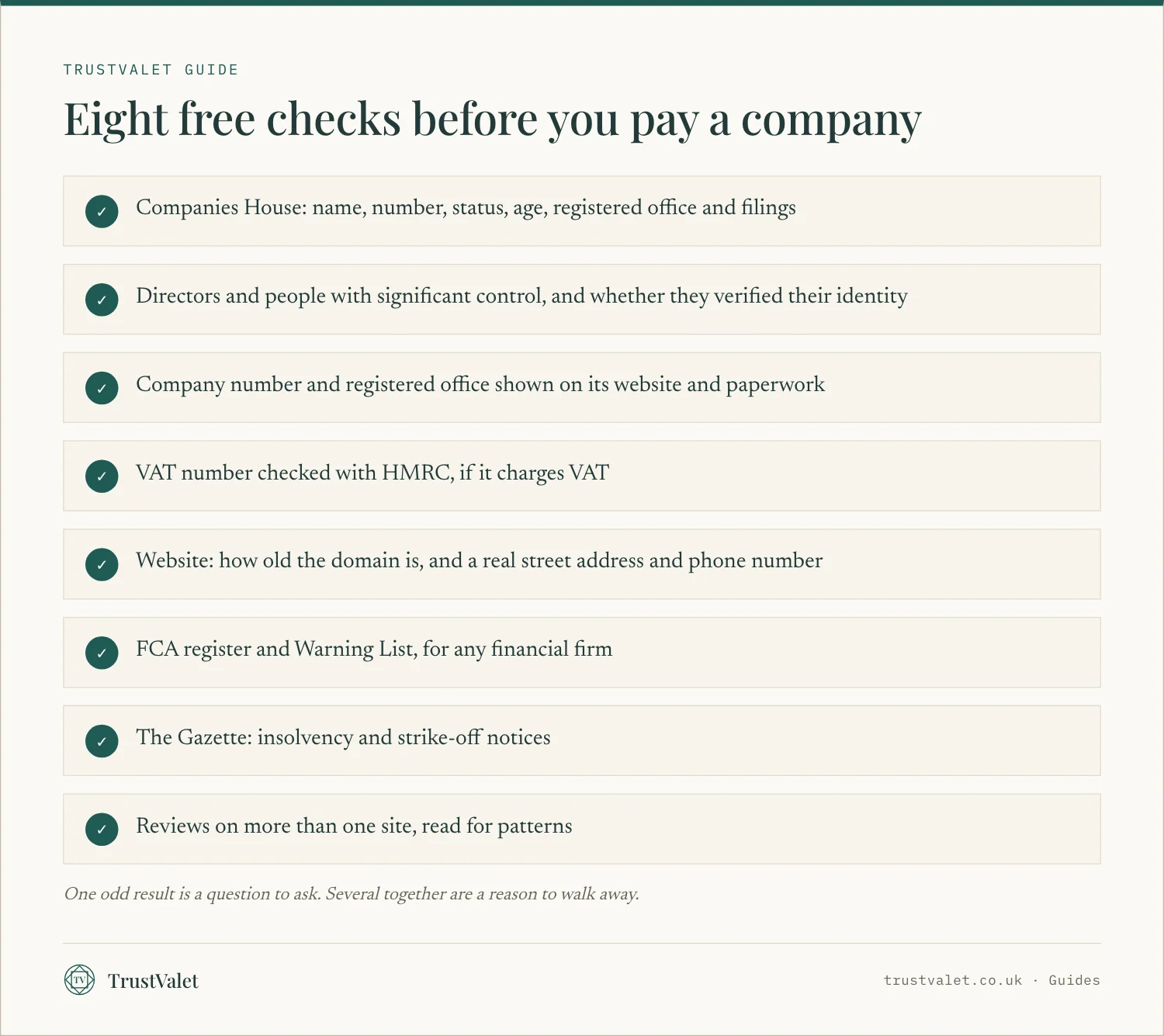
1. Look the company up on Companies House
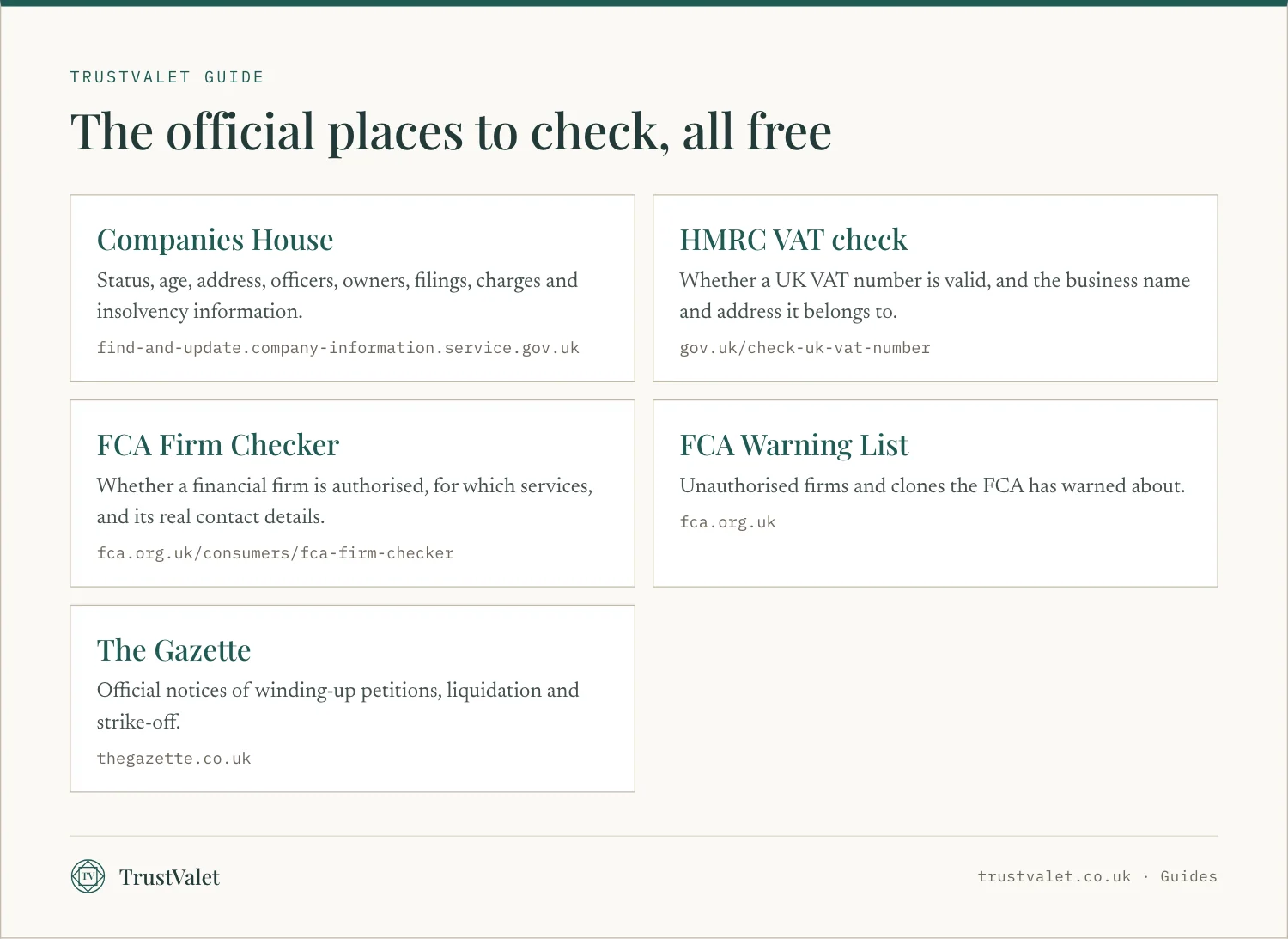
Every UK limited company is on the public register at Companies House, and searching it is free. You can see the registered address, the date of incorporation, current and past officers, filed documents, charges and insolvency information. You can also search every company in our register, which shows the same facts with the date we read them.
Check these five things:
- Name and number. They should match the quote, invoice or contract exactly, including "Limited" or "Ltd".
- Status. You want "Active". Anything else, such as "Dissolved" or "Liquidation", needs an explanation.
- Age. A company set up last month can be honest, but it cannot have fifteen years of history.
- Registered office. Note it. You will compare it with the website later.
- Filing history. Accounts and confirmation statements filed late, or not at all, show a company that is not keeping up.
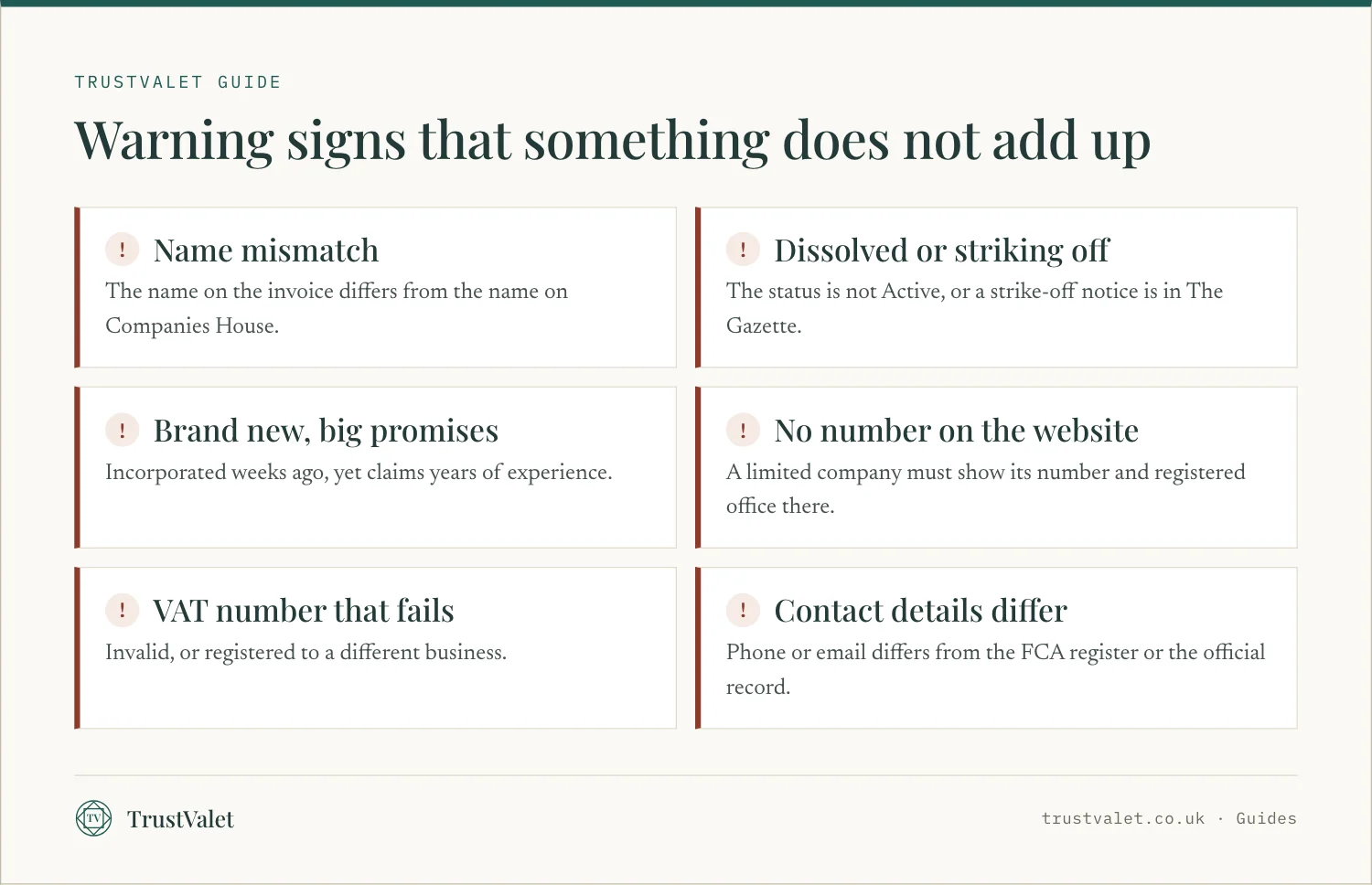
Warning sign: no company under that name, a different number, or a status that is not Active.
2. Check who runs it and who controls it
The officers tab lists the directors, with the date each was appointed. The people with significant control tab shows who owns or controls the company, for example through shares or voting rights.
Look for sudden changes. A company whose directors all changed last month, or whose owner is a shell company abroad, deserves more questions. Directors must now also verify their identity with Companies House. Our guide to director identity verification explains what that proves and what it does not.
Warning sign: the person you are dealing with is not a director and cannot explain their role, or the directors changed just before you were approached.
3. Match the details on its website and paperwork
The law sets out what a company must show. Under the trading disclosure rules, a company must show its registered number, its registered office address and where it is registered (England and Wales, Scotland or Northern Ireland) on its business letters, order forms and websites. Its registered name must appear on invoices and other demands for payment.
So open the website and look in the footer, the contact page or the terms. The number and address should match Companies House.
Warning sign: a website with no company number at all, or a number that belongs to a different company.
4. Check the VAT number
If a quote adds VAT, the business must be registered for VAT. HMRC gives each registered business a nine-digit VAT number, which must appear on every invoice it raises.
HMRC's free service tells you whether a UK VAT number is valid and the name and address of the business it is registered to. You need the number itself: the service cannot search by business name.
Warning sign: VAT charged with no VAT number, a number that fails the check, or a number registered to someone else.
5. Look at the website and contact details
A website can be built in an afternoon, so look at what sits behind it. A WHOIS lookup usually shows when the domain was registered. A domain registered last week, for a business claiming decades of experience, does not fit.
Then check the contact details. Citizens Advice suggests the address should have a street name, not just a PO box. It also warns that the padlock in your browser does not prove you are dealing with a real company. Call the landline if there is one, and check that the email uses the company's own domain.
Warning sign: a mobile number and a free email address only, no street address, or a domain far younger than the story.
6. For financial firms: the FCA register and Warning List
The Financial Conduct Authority says almost all financial firms in the UK must be authorised or registered by it. That covers financial advisers, lenders, insurers and investment firms, among others.
Use the FCA Firm Checker. Search the firm by name, choose the service you want, and check that the firm has permission for it. Then compare the contact details on the register with the ones you were given. If there are none listed, or the firm says they are out of date, the FCA asks you to call it on 0800 111 6768.
Watch for clone firms. Fraudsters copy the name, address or firm reference number of a genuine authorised firm, then give you a different phone number or email. The FCA also publishes a Warning List of unauthorised firms, so search it too.
Warning sign: contact details that differ from the register, or a firm on the Warning List.
7. Search The Gazette for notices
The Gazette is the official public record. It publishes notices such as winding-up petitions, the appointment of liquidators and resolutions for winding up. When a company is being struck off the register, the strike-off notice appears there too.
Search by the company name and the company number. A recent winding-up petition, or a strike-off notice, matters a great deal before you pay a deposit.
Warning sign: any recent insolvency or strike-off notice you were not told about.
8. Read reviews for patterns
Reviews help, as long as you read them with care. Since April 2025, businesses that publish consumer reviews must take reasonable and proportionate steps to prevent and remove fake reviews and concealed incentivised reviews. The Competition and Markets Authority has published guidance on those duties. Fake reviews still get through, so look for patterns rather than stars.
Citizens Advice suggests looking at reviews on different websites and not relying on the ones a company puts on its own site. Read the critical reviews and how the company answered them. A business with nothing but perfect scores, all posted in the same week, is telling you something.
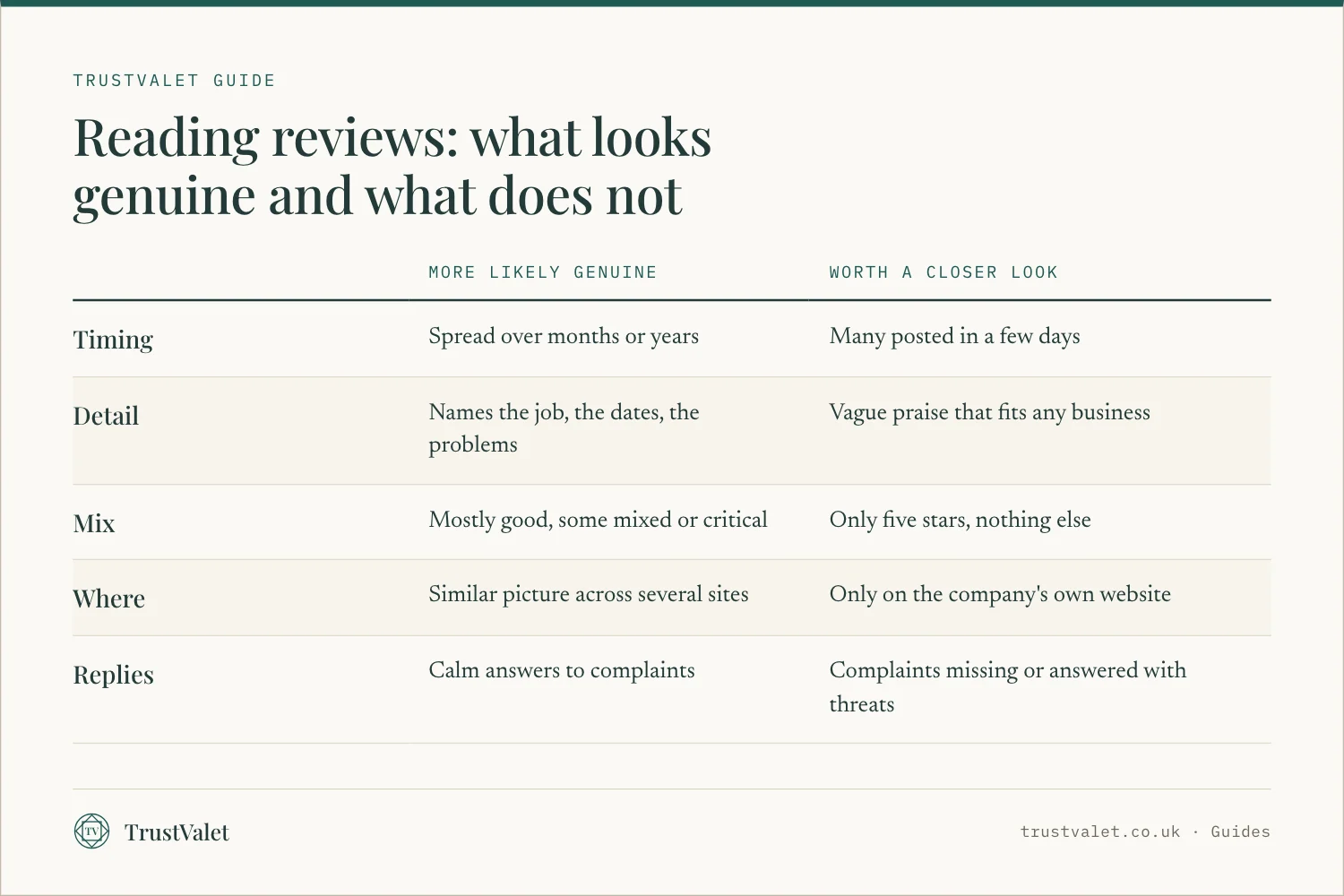
Warning sign: a burst of short, vague five-star reviews, or reviews that appear only on the company's own website.
If something does not add up
Stop before you pay anything more. Ask the company to explain the mismatch in writing. An honest business can usually explain a new trading name or a recent change of director.
If you think you have been scammed, Citizens Advice suggests:
- Report the scam to Citizens Advice, online or through its consumer helpline. It passes reports to Trading Standards.
- Report it to Report Fraud, the UK's national reporting centre for fraud, which Citizens Advice directs scam reports to. It gives you a crime reference number, which helps when you speak to your bank.
- Call the police on 101 if the scammer is in your area or you transferred money in the last 24 hours. Call 999 if you feel threatened or unsafe.
Tell your bank straight away if you paid by card or transfer. If the company is listed on TrustValet and a detail on its page looks wrong, you can also report the listing.
How TrustValet can help
TrustValet is a register built from public records. Each company page shows what Companies House holds: status, incorporation date, accounts and confirmation statement deadlines and whether they are overdue, how many active directors have verified their identity, who controls the company, charges and filing history. Every fact shows its source and the date we read it, and published companies are re-read about monthly. Our sources page lists where each fact comes from.
Some companies choose to be verified: 14 checks against public registers, including Companies House, the VAT number, the domain, the website's security and contact details, and The Gazette. A person decides each one, and the result is a dated certificate anyone can check. How we verify explains each check. It does not vet workmanship, reviews or ratings, and a listed company is not an endorsed company.
For more on what badges mean, read what verified really means. For trades, see how to avoid cowboy builders, and for professional firms, how to vet a marketing agency.
Questions
How can I check if a UK company is real for free?
Search the company on Companies House, which is free. Check the name, number, status, age and registered office match what you were given, then look at its directors, its filing history and any insolvency information.
Does a company have to show its company number on its website?
Yes. A company must show its registered number, registered office address and where it is registered on its business letters, order forms and websites. Its registered name must also appear on its invoices.
How do I check a UK VAT number?
Use HMRC's free Check a UK VAT number service on GOV.UK. It tells you whether the number is valid and the name and address of the business it is registered to. You cannot search by business name.
How do I know a financial firm is not a clone?
Search it on the FCA Firm Checker, confirm it has permission for the service, and make sure the contact details match the ones you were given. If none are listed, call the FCA on 0800 111 6768. Also search the FCA Warning List.
Where do I report a company I think is a scam?
Report it to Report Fraud, the national reporting centre for fraud, and to Citizens Advice, which passes reports to Trading Standards. Call the police on 101 if you sent money in the last 24 hours, and tell your bank straight away.
Check the company first
Before you pay anyone, look the company up. Every page in the register shows what Companies House says, with the date we read it.
Ala Ciobanu · Ala Ciobanu edits the TrustValet guides. Every guide names its sources.
- Get information about a company (GOV.UK)
- Running a limited company: signs, stationery and promotional material (GOV.UK)
- Company, LLP and Business (Names and Trading Disclosures) Regulations 2015, regulation 25 (legislation.gov.uk)
- Check a UK VAT number (GOV.UK)
- Clone firms and individuals (FCA)
- Fake reviews guidance, CMA208 (GOV.UK)
- Insolvency notices (The Gazette)
- Report a scam (Citizens Advice)